
Before the first cut.
Everything you need before you build. PermitLogic AI checks your town's own rules to tell you whether your project needs a permit, then builds your materials list and a packet ready to file. Sully, the app's AI guide, walks you through it, and says so plainly when a rule can't be found.

A permit report, a materials list and a filing packet.
Not just yes or no. One project, one folder, everything sourced to the page it came from.
Coming soon to iPhone
Tell Sully the project.
Sully reads your town first.
Get the permit report.
Build the materials list.
Carry the filing packet.
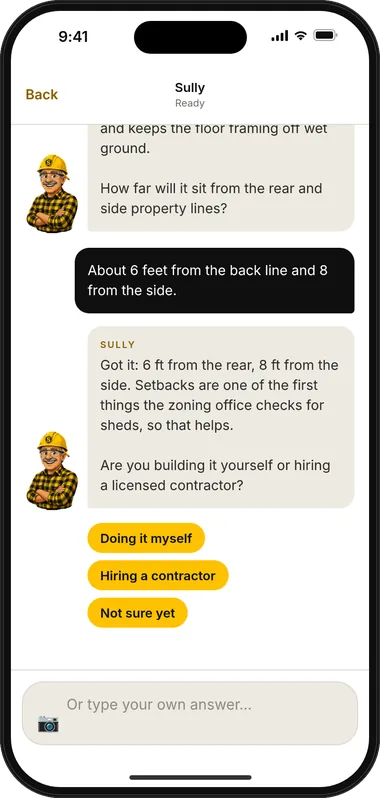
Describe it in plain words and give the city and state. Sully asks one question at a time, only the ones that change the answer. A photo of a rough sketch becomes a clean conceptual schematic.
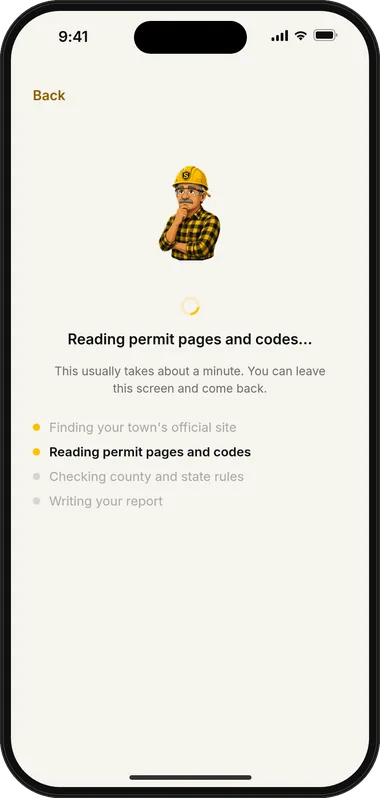
The town's official site, permit, fee, code and zoning pages, then the county, then the state, then the model code. Links you paste are read before anything else.
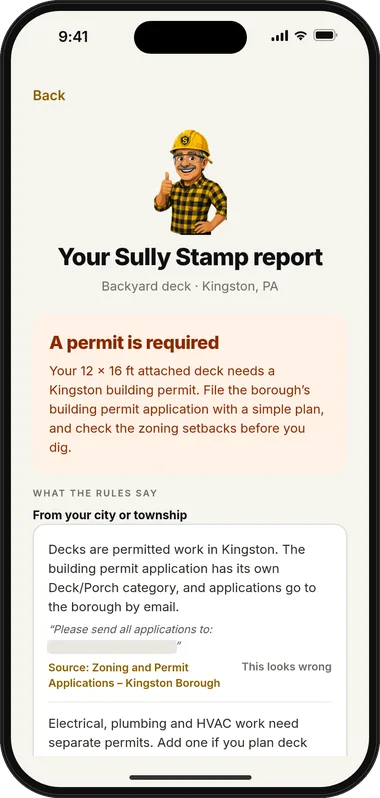
A verdict, the rules grouped by source with labels and quotes, fees, who to call, the town's form, ordered steps, common rejection reasons and whether to hire a pro. Gaps are named, not guessed.
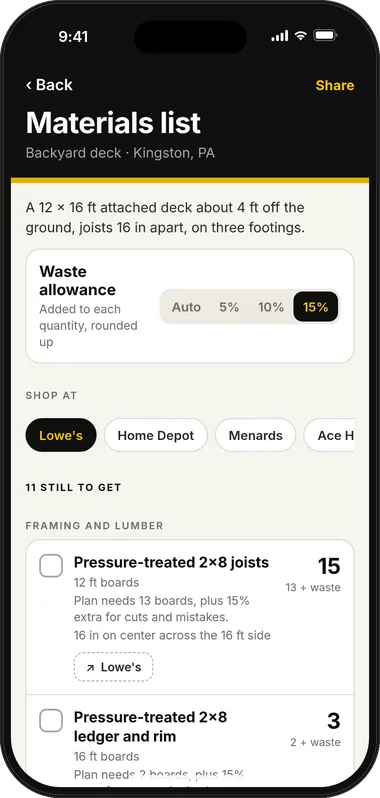
Sized only from details you've confirmed, with a waste allowance on every line, stated assumptions, and missing measurements called out.
One PDF with a cover sheet, project details, the rules and a checklist of what the office asks for. Email it to the office from the app.
- Cover sheet with owner and property details
- Project details and schematic from your sketch
- Rules that apply, each with its source
- Checklist of what the office asks for
- Link to the town's own application form
Town rules first. Every rule labeled.
Permit rules live in layers, and the layer closest to you usually wins. So Sully reads them in order, and tells you which layer each rule came from.
Designed for any U.S. town: the same ladder works everywhere. What you get depends on what your town publishes, which is why every rule shows its source. See every feature
- TownCity, borough or township pages: permits, fees, zoning, handouts. Your own links are read first.
- CountyAnything the town defers to the county, like inspections or stormwater.
- StateThe statewide building code your state adopted, and state licensing rules.
- Model codeThe last fallback. Linked or paraphrased, never pasted.
Decks attached to a dwelling require a building permit and zoning review.
When a rule isn't published, the report says so.
Some towns post everything. Some post almost nothing. When Sully can't find a rule, you'll see the gap, a labeled county or state rule if one applies, and who to call. Phone numbers, fees and quotes are checked against the pages Sully read.
We think that's a feature. A confident wrong answer costs you a rejected application. An honest gap costs you one phone call.
Read my town's rules first.
Town, then county, then state, then model code. Every rule carries its source label, so you can see which ones came straight from your town.
Tell me when a rule can't be found.
No guessing. The report names the gap, may show a labeled county or state rule, and tells you who to call and what to ask.
Let me flag a rule that looks wrong.
A “this looks wrong” button sits on every rule, because local knowledge sometimes beats what's posted online.
Size my materials with a waste allowance.
Quantities come only from confirmed details, with the allowance and assumptions shown on every line.
Hand me a packet the office can read.
Cover sheet, details, rules and the office's checklist in one PDF, with a link to the town's real form when it's posted.
See the app.
Real screens from the PermitLogic AI iPhone app, shown with example data.

App preview 
App preview 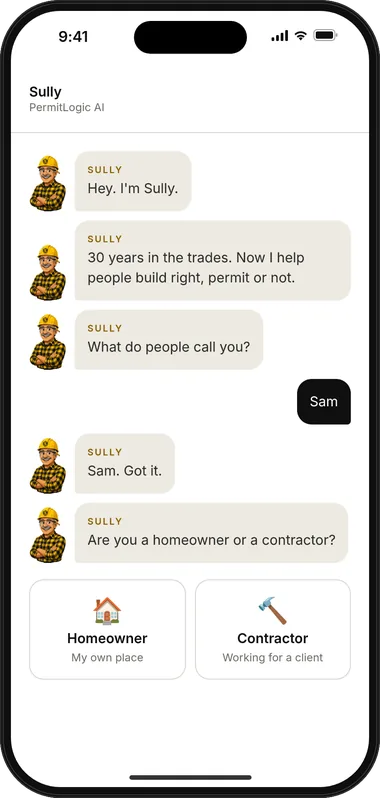
App preview 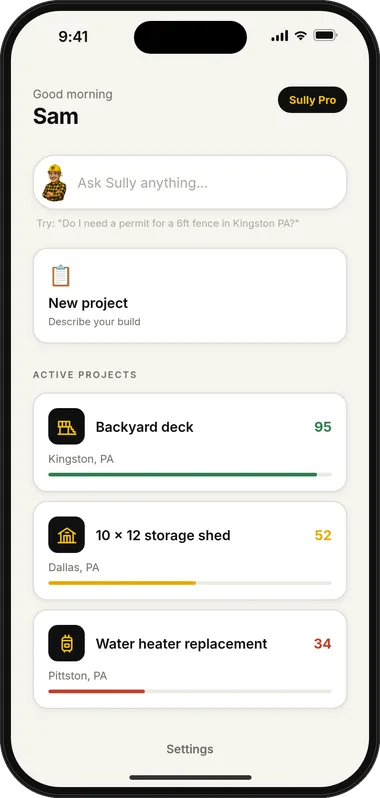
App preview · Example project 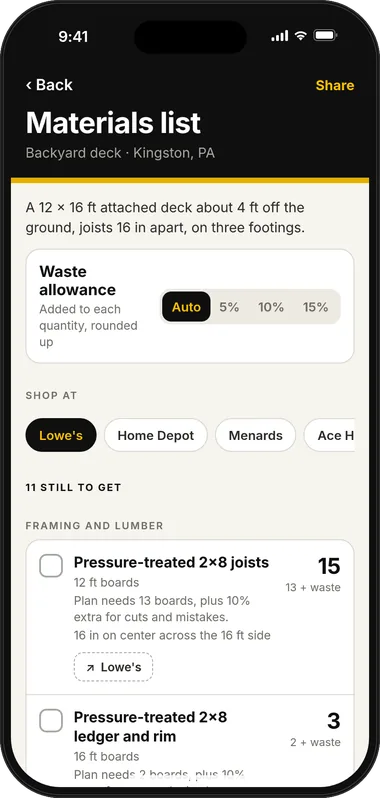
App preview · Example project
Twelve projects, one honest guide each.
- DeckAttached or freestanding, height, footings, guards and stairs.
- FenceHeight, location on the lot, corner lots, pools and HOAs.
- ShedSize, height, foundation, setbacks and power.
- RoofTear-off or overlay, decking, ventilation and inspections.
- Bathroom remodelCosmetic versus gut, moving fixtures, fans and outlets.
- Basement finishingMoisture, egress, ceiling height, wiring and a bathroom.
- ElectricalCircuits, panels, EV chargers, generators and who may do the work.
- PlumbingWater heaters, moved fixtures, drains, vents and gas.
- Windows and doorsSame-size swaps, bigger openings, egress and energy rules.
- SolarRoof condition, structure, interconnection and the utility.
- Pool and hot tubBarriers, gates, bonding, setbacks and the electrical.
- AdditionZoning, plans, structure, every trade, and the timeline.
Pay per project, or for all of them.
Planned launch pricing, shown so you know what to expect. Prices may change before launch. Pricing details
Sully Stamp
$14.99per project
One project, start to finish: the permit report, materials list and filing packet.
- Permit report with labeled sources
- Materials list with waste allowance
- Filing packet PDF you can email to the office
- Denial recovery for that project
Sully Pro
$9.99a monthor $59.99 a year
Every project you're planning, each with its own report, materials list, packet and denial recovery.
- Reports, lists and packets for all your projects
- Denial recovery on every project
- Monthly or yearly billing
- Fair-use monthly limit
Professional
Coming soon$100a monthor $1,000 a year(planned)
For contractors who pull permits for clients in more than one town.
- Client and job names on every project, grouped by client
- Your company name, license and phone on packet covers
- A higher monthly report allowance
- Everything in Sully Pro
Running a larger team? Talk to our Enterprise team.
Made by people who've stood in the permit line.
Sully Studios is a small independent app studio in northeastern Pennsylvania. Our founder spent years in home-repair contracting and watched good projects stall over permit surprises and missing materials. PermitLogic AI is the tool we wanted on the job.

Straight answers.
The short version. The full FAQ covers coverage, reports, pricing and your data.
Does it work where I live?
PermitLogic AI is designed for any U.S. town. Sully uses the same research ladder everywhere: your town first, then the county, then the state, then the model code. Results depend on what your town publishes online. Some towns publish a lot, some very little.
Is PermitLogic AI the final word on my permit?
No. Your local permit office decides. PermitLogic AI helps you understand the published rules, prepare a complete application and know who to ask. It doesn't replace the office, an engineer or an attorney.
What happens when Sully can't find a rule?
The report says so plainly. It may show a county or state rule, clearly labeled, and suggests calling the office, with the questions to ask. We'd rather tell you about a gap than fill it with a confident guess.
What's in a permit report?
A verdict (required, likely, unclear or not required), the rules grouped by source with labels and quotes, fees, who to call, the town's form when it's posted, ordered steps, common rejection reasons, and a plain note on whether to hire a pro.
How much will it cost?
Planned launch pricing is Sully Stamp at $14.99 per project, or Sully Pro at $9.99 a month or $59.99 a year for all your projects. Prices may change before launch. Professional for contractors is planned at $100 a month, or $1,000 a year, and Sully Enterprise for larger teams is priced for your team. See pricing.
When can I get it?
PermitLogic AI is coming soon to iPhone. Join the waitlist and we'll send one email when it's ready.
Can Sully connect me with a contractor?
Hire a pro is in the works and coming soon. When it's available, you'll be able to ask to connect with local professionals from inside the app. We have no pro-matching partners today. If we add them in the future, we may earn a fee when you connect with a pro through them, and we'll disclose it right there. A fee would never change what your report says.
From the blog.
- Project walkthroughs
DIY or hire a pro? An honest way to decide
A practical way to decide which parts of a home project to do yourself and which to hire out, from skill and risk to permits, licensing, time and tools.
- Getting unstuck
Permit denied? A calm checklist for what to do next
What a permit rejection usually means, how to read the letter, and a step-by-step checklist for fixing the problems and resubmitting.
- Project walkthroughs
Roof replacement permits: what to know before you sign
When a reroof usually needs a permit, tear-off versus overlay, inspections, contractor registration, and what to settle before you sign a roofing contract.
- Materials and planning
Site plans and sketches the office accepts
What a site plan is, what it needs to show, when a hand sketch is enough and when it isn't, and how to draw one the permit office can review quickly.
Get Sully on day one.
Coming soon to iPhone. Tell us what you're planning and we'll send one email when Sully is ready. We read every project note, and it shapes which project types we polish first.